Android Studio has quite a few bugs, and the C++ development experience is not exactly great. A lot of the time, when we need to do JNI development or pure C++ development, we do not really want to do it inside Android Studio. So we need an environment for cross-compiling C++ programs for Android without relying on Android Studio.
Next, I will use CMake to build the whole workflow. First, the preparation: you must download the NDK, because we need to use the NDK toolchain. The version I use here is r23c.
The goal is to compile a native Linux program, run it on an Android phone, and print a hello world message in the log. So the C++ part is very simple.
#include <android/log.h>

constexpr const char* LogTag = "HelloWorld";

void LogCatError(const char* tag, const char* message)
{
	__android_log_print(ANDROID_LOG_ERROR, tag, "%s", message);
}

int main()
{
    LogCatError(LogTag, "Test Test Hello");
    return 0;
}
From here, we will do it in two steps: first compile a program for Android, then take a closer look at how to configure some Android-specific settings, such as the API level.
Build the Executable
Generally speaking, when compiling with CMake, you need to be clear about a few key questions:
- What is the generator, meaning which tool is used to build the project? As everyone knows, CMake is really a build tool that generates build files. This affects two parameters:
-Gon the CMake command line, and CMake’s built-in variableCMAKE_MAKE_PROGRAM. - What is the compiler? This affects two CMake built-in variables,
CMAKE_C_COMPILERandCMAKE_CXX_COMPILER. - Where are the header files?
- Where are the linked libraries?
For an Android build, we can answer these questions one by one.
- What is the generator?
Android uses make.exe to build, so the CMake -G parameter should use Unix Makefiles. The make.exe used by Android is included in the downloaded NDK. It is best to use this make.exe to avoid strange issues. The path is ndkpath/prebuilt/windows-x86_64/bin/make.exe. For example, my NDK is installed somewhere under the D drive, so my make.exe is at D:/Programmes/Android/ndk/android-ndk-r23c/prebuilt/windows-x86_64/bin/make.exe.
- What is the compiler?
Android uses clang as its compiler, and it is also included in the downloaded NDK, so just use that clang. The C compiler is ndkpath/toolchains/llvm/prebuilt/windows-x86_64/bin/clang.exe, and the C++ compiler is ndkpath/toolchains/llvm/prebuilt/windows-x86_64/bin/clang++.exe.
When compiling Android code with CMake, you do not need to explicitly specify the compiler path. Instead, specify CMake’s toolchain file, which is CMAKE_TOOLCHAIN_FILE. For Android, this file is at ndkpath/build/cmake/android.toolchain.cmake. This toolchain file will take care of finding the compiler location by itself.
However, make.exe still needs to be specified explicitly, because the toolchain does not set the location of make.
- Where are the headers?
They are in ndkpath/toolchains/llvm/prebuilt/windows-x86_64/sysroot/usr/include/. Unlike the generator and compiler above, which are usually passed through the command line or configured with CMakePresets.json, headers need to be written in CMakeLists.txt. Usually we do not use an absolute path here, because everyone on a team has their own NDK path. Instead, we can use a variable defined by the toolchain, CMAKE_ANDROID_NDK, which points to the NDK path, and then append the include path after it.
- Where are the libraries?
They are in ndkpath/android-ndk-r23c/toolchains/llvm/prebuilt/windows-x86_64/sysroot/usr/lib/aarch64-linux-android/.
Once the preparation above is done, we can start writing CMakeLists and CMakePresets. First, here is CMakePresets.json.
{
    "version": 5,
    "configurePresets": [
        {
            "name": "Android",
            "displayName": "Android",
            "description": "Build android",
            "generator": "Unix Makefiles",
            "binaryDir": "${sourceDir}/build/${presetName}",
            "cacheVariables": {
                "CMAKE_TOOLCHAIN_FILE": "D:/Programmes/Android/ndk/android-ndk-r23c/build/cmake/android.toolchain.cmake",
                "CMAKE_MAKE_PROGRAM": "D:/Programmes/Android/ndk/android-ndk-r23c/prebuilt/windows-x86_64/bin/make.exe",
                "CMAKE_EXPORT_COMPILE_COMMANDS": "1"
            }
        }
    ],
    "buildPresets": [
        {
            "name": "Android",
            "configurePreset": "Android"
        }
    ]
}
This file solves the first two problems: generator and compiler. The generator is specified through CMAKE_MAKE_PROGRAM. The compiler is handled indirectly by specifying the toolchain file through CMAKE_TOOLCHAIN_FILE. Finally, I also added CMAKE_EXPORT_COMPILE_COMMANDS to generate the compile command file compile_commands.json. If you use VS Code, clangd needs it for code completion.
Next is CMakeLists.txt.
cmake_minimum_required(VERSION 3.26)

project(AndroidCpp)

add_executable(hello_world src/Main.cpp)

target_include_directories(hello_world PRIVATE
        "${CMAKE_ANDROID_NDK}/toolchains/llvm/prebuilt/windows-x86_64/sysroot/usr/include/")

target_link_libraries(hello_world PRIVATE
        liblog.so
)
The variable CMAKE_ANDROID_NDK is defined in the toolchain and points to the NDK path.
After that, just run configure and build, and you can compile a hello_world executable. Put it on Android and run it with adb shell, and you should be able to see hello world successfully.

Adjust Android Parameters
CPP on Android is not quite this simple. There are still some Android-specific things to consider. For example, which instruction set should be used? Armv7 or armv8? What should minSdk be, and how do we specify it?
If you look at the compile_commands.json generated by CMake above, you can notice a few details.

The executable generated here is actually for armv7, and the Android SDK is 16, which is very ancient. In practice, Android specifies these details by passing parameters to the toolchain. The parameters you can pass are listed at the beginning of the toolchain file.
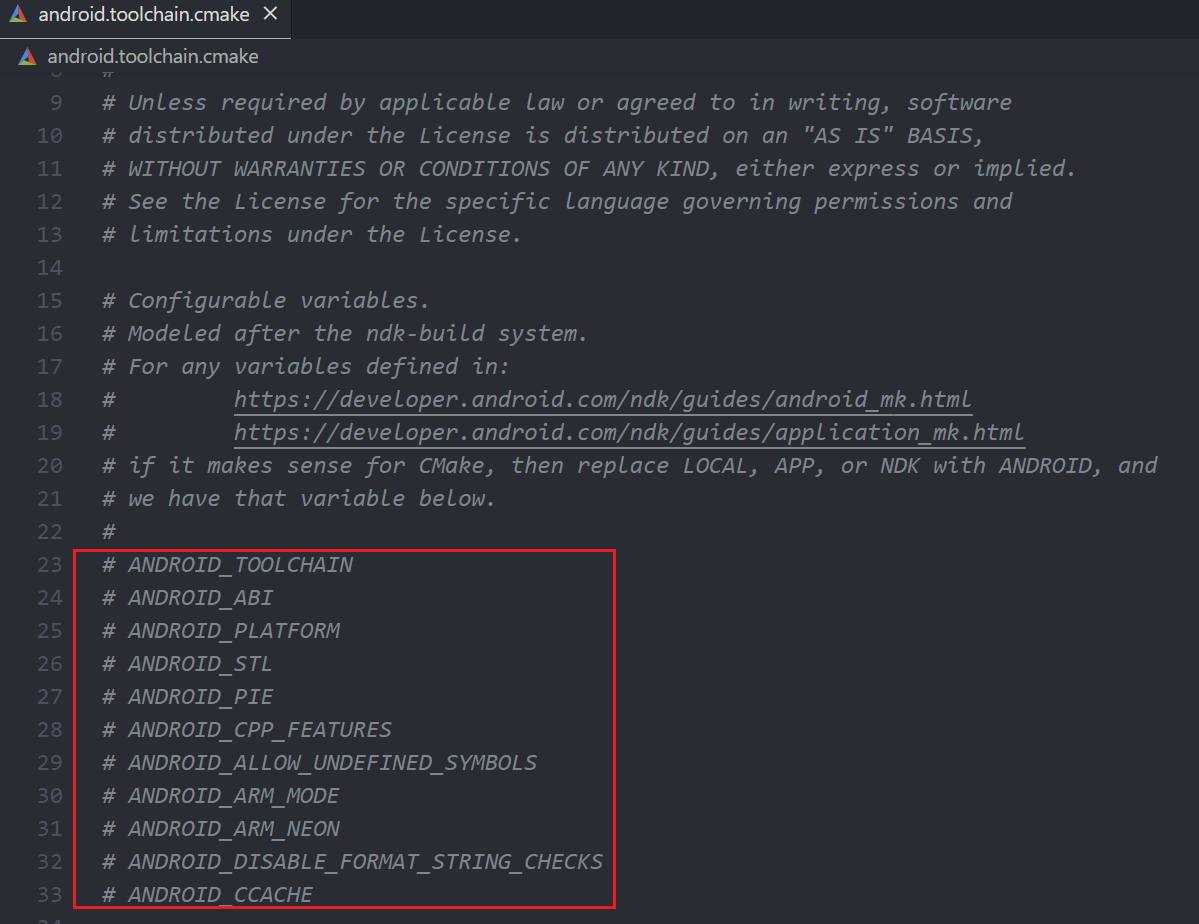
For exactly how to pass them, you can refer to this page: https://developer.android.com/ndk/guides/cmake#variables.
For example, if we want the compiled instruction set to be armv8 and minSdk to be 31, we only need to add a few parameters in CMakePresets.
{
    "version": 5,
    "configurePresets": [
        {
            "name": "Android",
            "displayName": "Android",
            "description": "Build android",
            "generator": "Unix Makefiles",
            "binaryDir": "${sourceDir}/build/${presetName}",
            "cacheVariables": {
                "CMAKE_TOOLCHAIN_FILE": "D:/Programmes/Android/ndk/android-ndk-r23c/build/cmake/android.toolchain.cmake",
                "CMAKE_MAKE_PROGRAM": "D:/Programmes/Android/ndk/android-ndk-r23c/prebuilt/windows-x86_64/bin/make.exe",
                "ANDROID_PLATFORM": "31",
                "ANDROID_ABI": "arm64-v8a",
                "CMAKE_EXPORT_COMPILE_COMMANDS": "1"
            }
        }
    ],
    "buildPresets": [
        {
            "name": "Android",
            "configurePreset": "Android"
        }
    ]
}
Then you can see that the target in compile_commands.json has changed.
